
Resize Video Online for Free

How to use the video resizer online

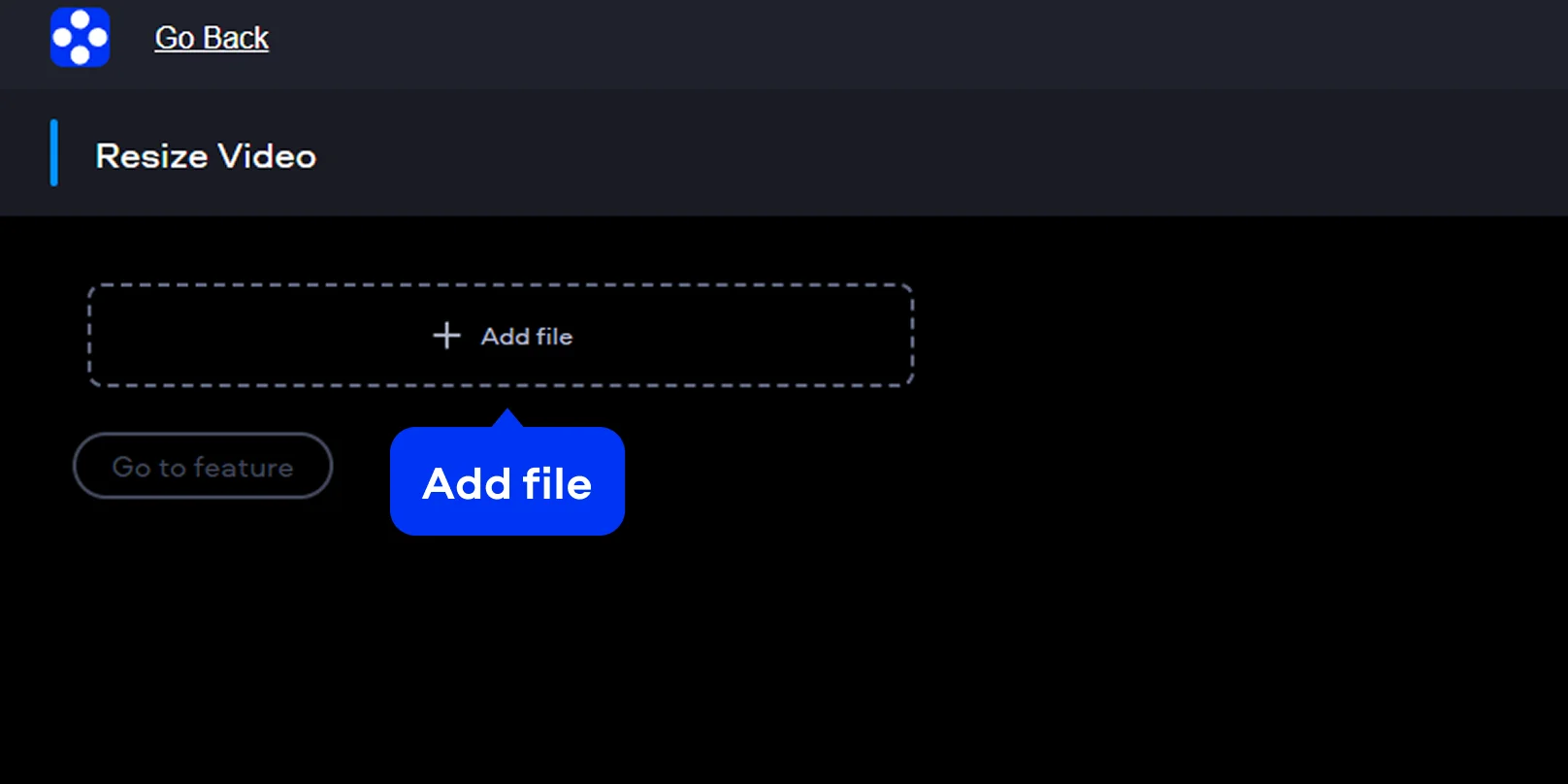
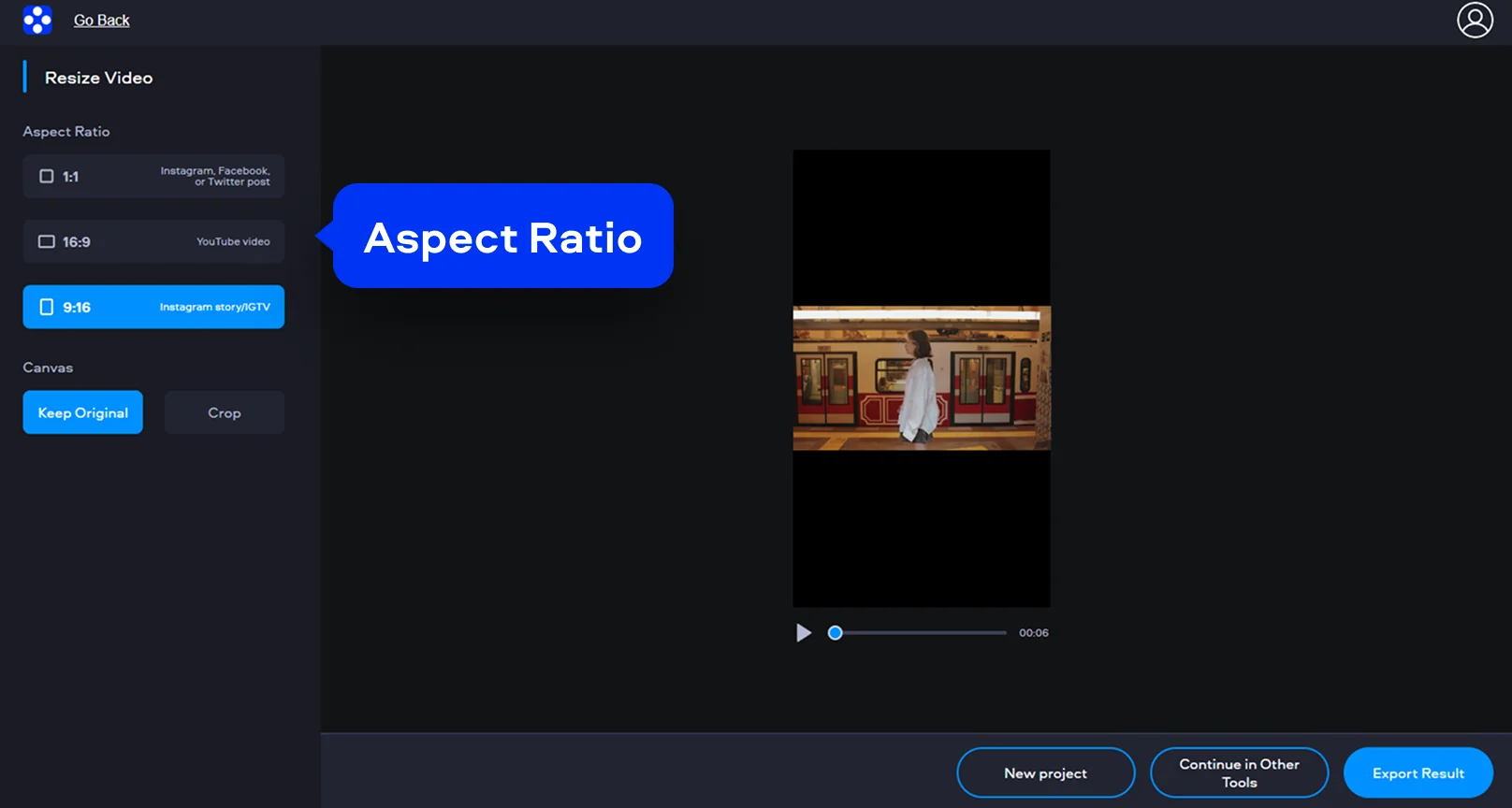
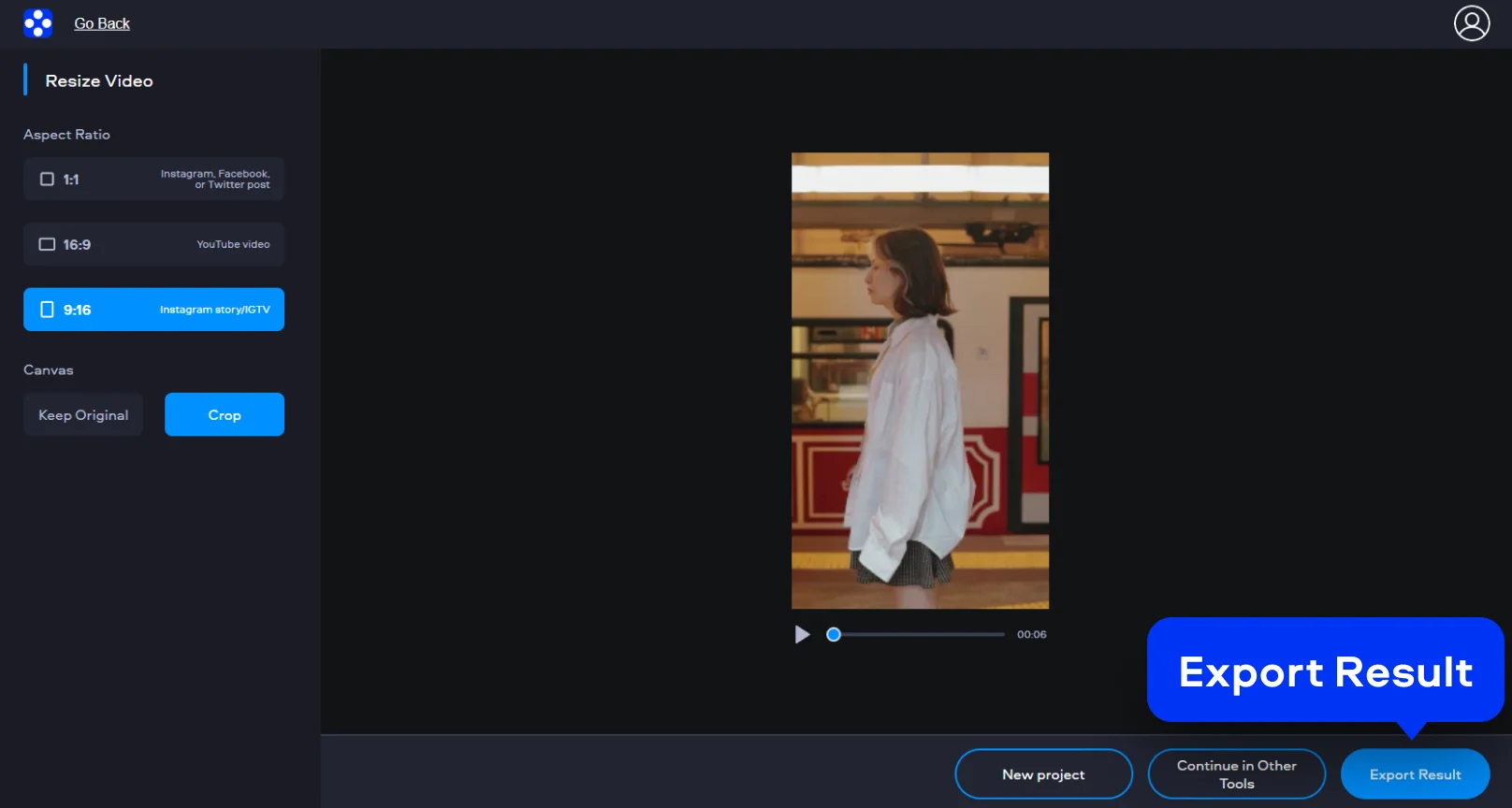
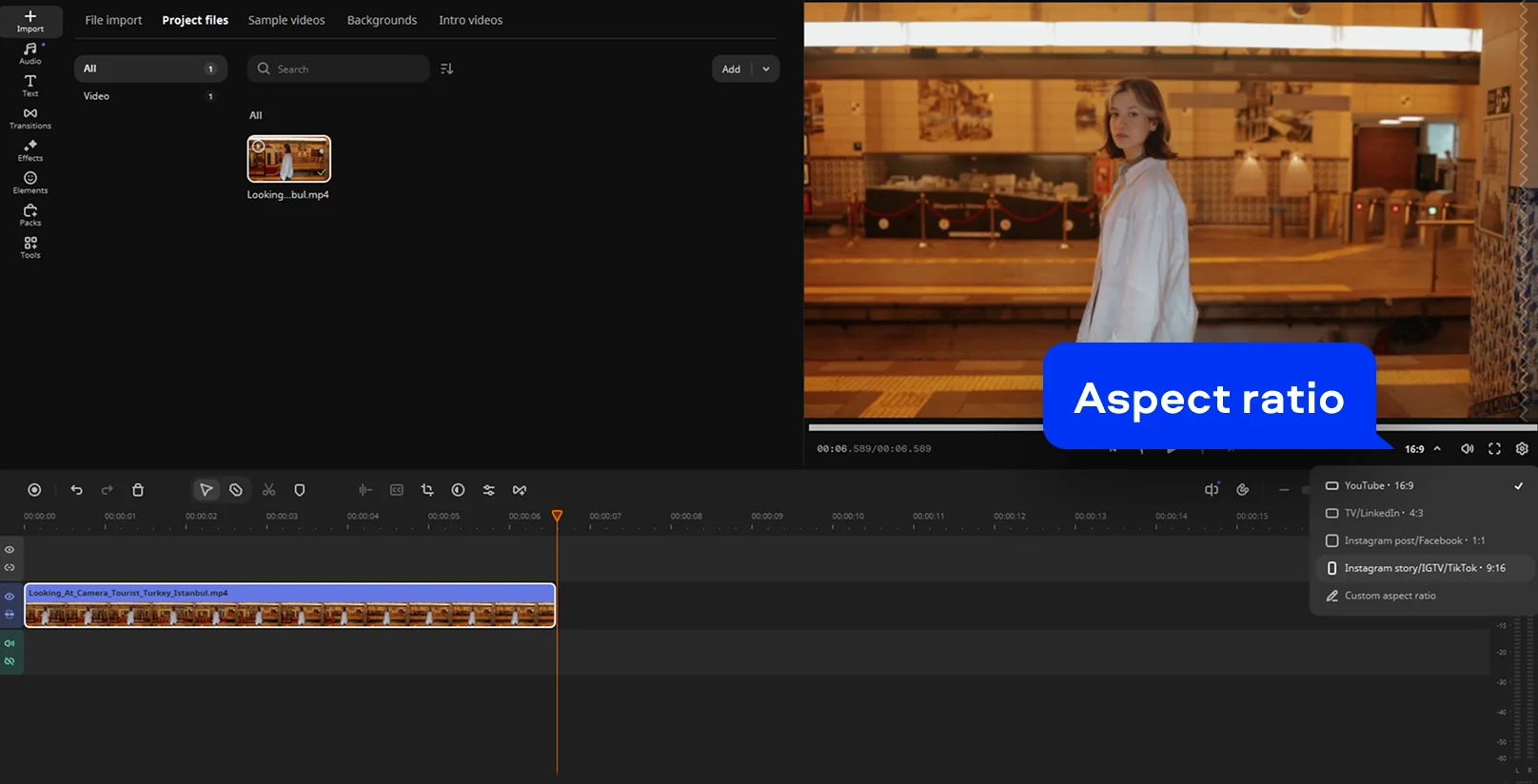
Movavi’s online video resizer is built for precise resizing without unnecessary layers of control. It opens instantly in your browser and works in your current tab, without downloads or system checks. The tool focuses on resizing only, keeping attention on proportions, resolution, and final output. You can resize video online, adjust proportions, and export a ready file within minutes.

Supported formats for online video editing

MP4, AVI, MOV, WMV, M4V

How to resize a video on desktop

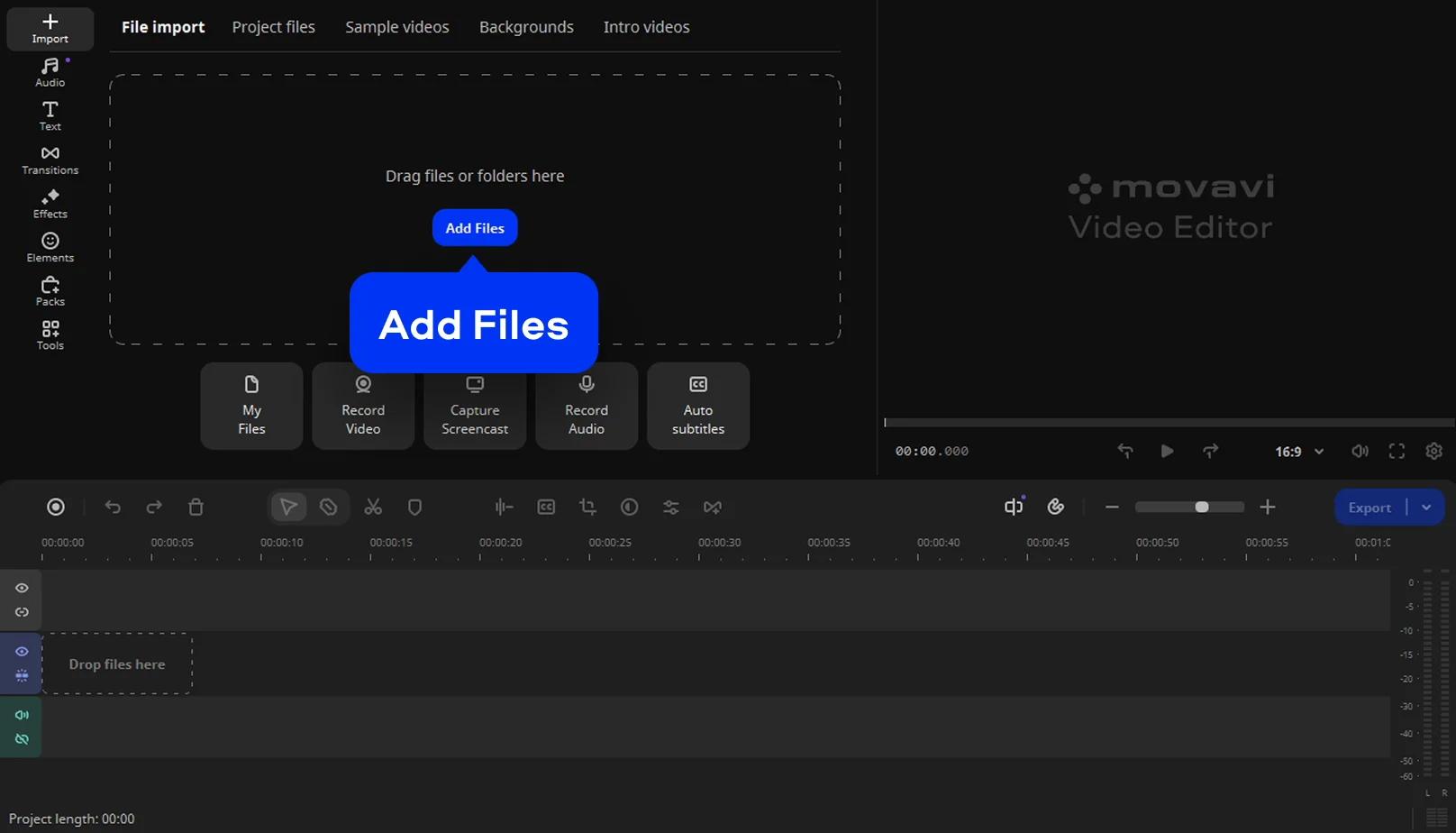
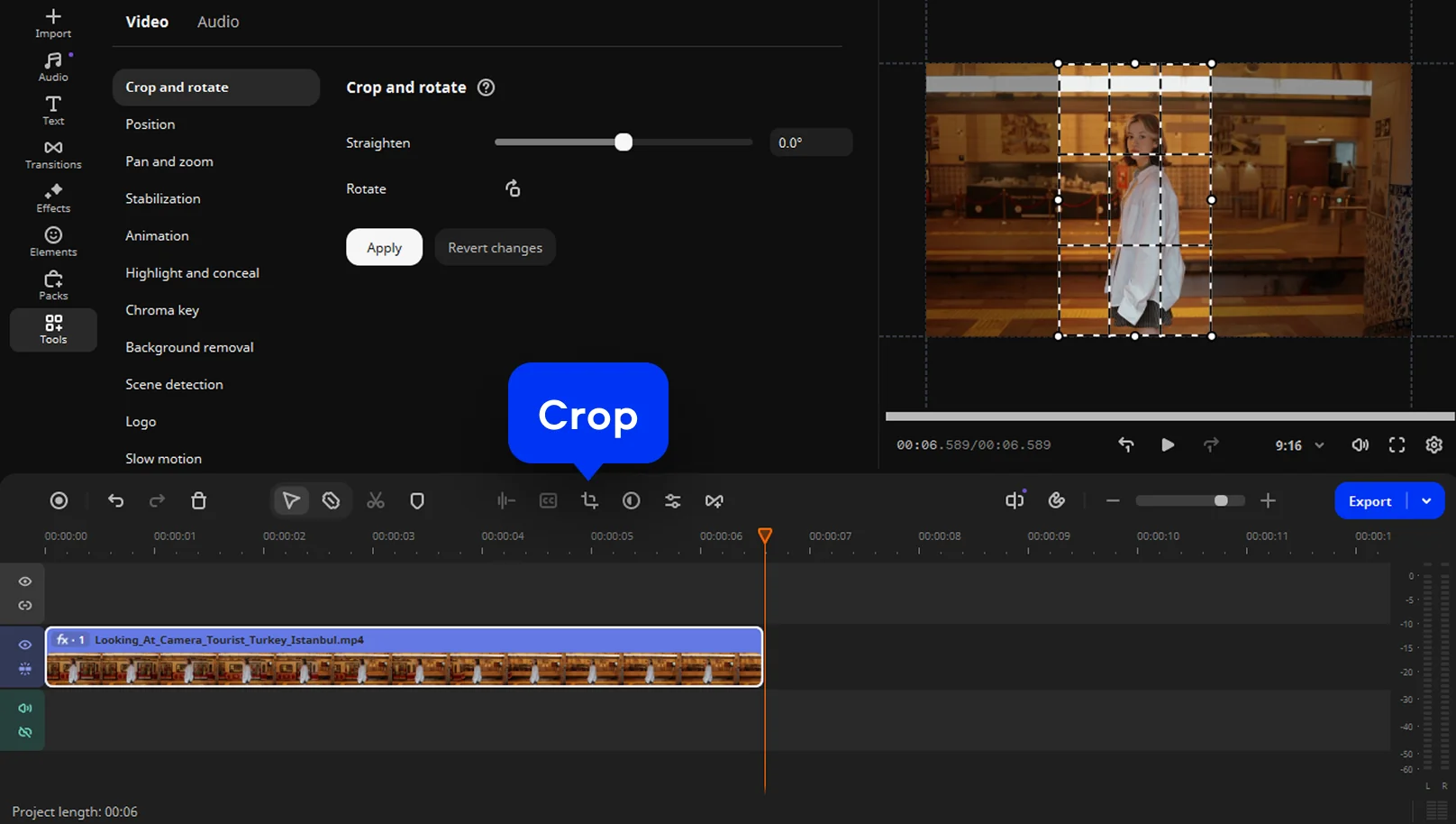
Movavi Video Editor combines editing tools with clear project settings, without overloading the workspace. Resizing remains direct, even when working with long timelines or high-resolution footage. This desktop video resizer suits projects where accuracy outweighs speed. It also supports consistent dimensions across multiple clips.

Supported formats for video editing on PC and Mac

3GPP, 3GPP2, ASF, AVI, DivX, FLV, SWF, M2TS, M2T, MTS, TS, MKV, MOV, MP4, MPG, MPEG, MPE, M1V, MOD, TOD, MWV, M4V, MXF, OGV, QuickTime, RM, RMVB, WebM, WTV

Movavi Video Editor
Create awesome videos easily

*The free version of Movavi Video Editor may have the following restrictions depending on the build: watermark on exported clips, 60-second video or 1/2 audio length limit, and/or some advanced features unavailable when exporting videos.

Why choose Movavi

We’re the #1 choice for millions of people from all around the world. Join our thriving community and create stunning content with incredible ease.

70M+

users

190+

countries

15+

updates per year

10,000+

effects to choose from

Frequently asked questions

How do I resize an MP4 video?

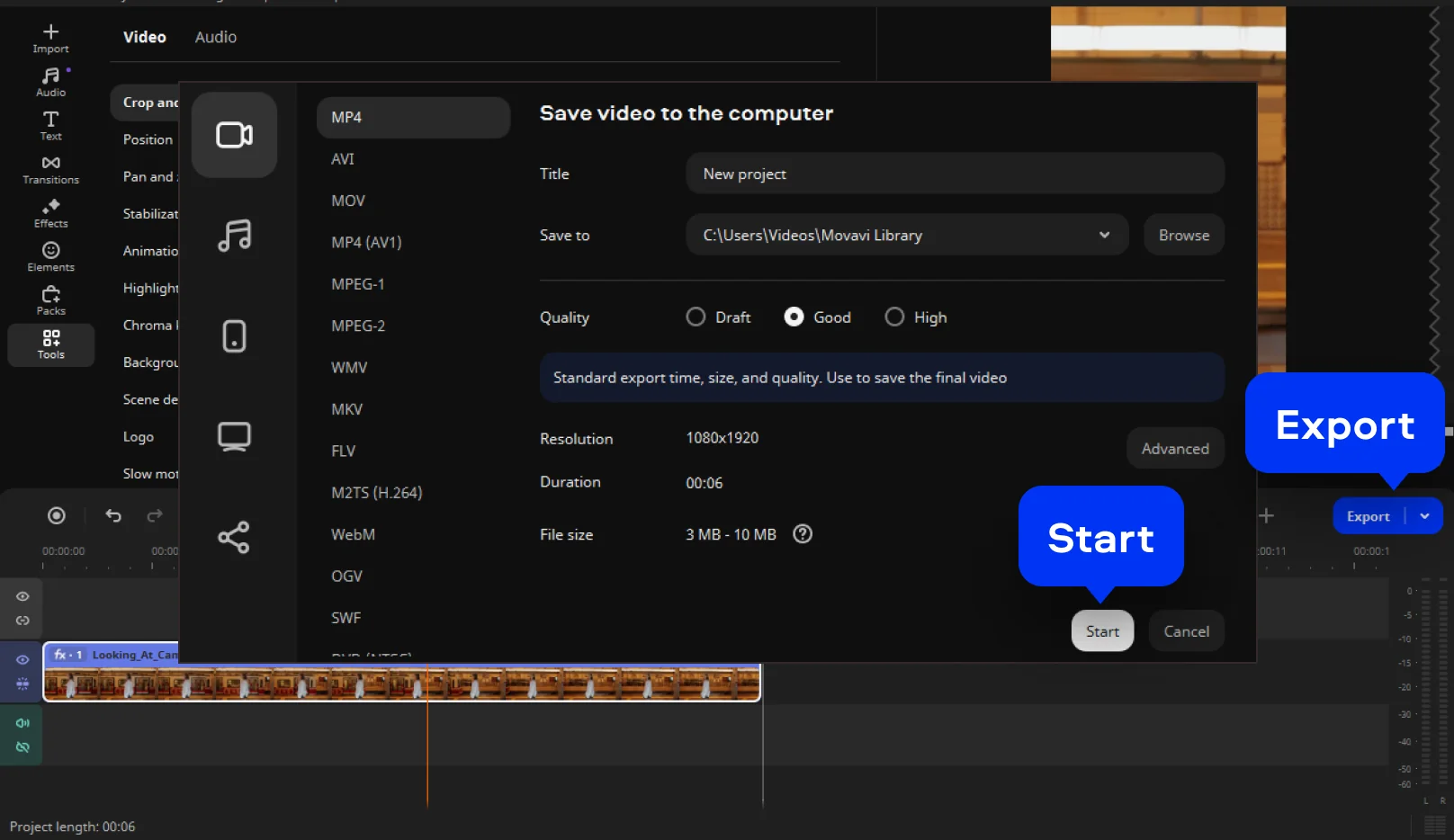
You can resize MP4 files using an online video resizer or desktop software from Movavi. Upload the file, select new dimensions or proportions, then export the updated version.

How do I change the frame width and height in video files?

Use a video dimension changer that allows manual width and height input. Enter exact values inside the project or resize settings to change video pixels directly. This method ensures compatibility with custom layouts and embedded players.

How do I resize a video for Instagram?

Instagram requires specific formats depending on post type. Use a video aspect ratio changer in Movavi Video Editor to switch to 1:1, 4:5, or 9:16. This prevents automatic cropping and preserves important visual elements.

How can I reduce the size of a video file?

Reducing resolution or applying compression during export lowers file size effectively. Many tools combine resizing and compression within a single workflow. This approach balances clarity with smaller file weight.

What video resizer is free to use?

Movavi’s online tool works as a free video resizer for basic resizing tasks. It lets users resize videoы for free directly through the browser.

How do I resize a video on a phone?

Mobile resizing works best through browser-based tools. Open the online video resizer, upload the clip, choose dimensions, and export. The resized file downloads directly back to your phone storage.

Can I use Movavi Online Video Editor on Android and iPhone?

Yes – it works on both Android and iPhone, and it’s free to use.

Is Movavi Online Video Editor completely free?

Yes. All features are available for free – no payment required.

Does Movavi Online Video Editor add a watermark when exporting videos?

No. You can export videos without a watermark.

Movavi Video Editor
Create awesome videos easily

*The free version of Movavi Video Editor may have the following restrictions depending on the build: watermark on exported clips, 60-second video or 1/2 audio length limit, and/or some advanced features unavailable when exporting videos.

Join us for discounts, editing tips, and content ideas

1.5M+ users already subscribed to our newsletter

By signing up, I agree to receive marketing emails from Movavi and agree to Movavi's Privacy Policy.